Putting together a wishlist is pretty straightforward: you pick a platform, add the stuff you want with all the important details, and then send it out. The real trick is to give people enough info—like size, color, and which items you want most—to make buying a gift for you a total breeze.
Why a Thoughtful Wishlist Matters More Than You Think
A well-made wishlist is so much more than a simple list of wants. Think of it as a helpful communication tool that takes all the guesswork out of gift-giving for your friends and family. Instead of them stressing over what you might like, you're giving them a clear, practical guide.
This simple step helps avoid duplicate gifts, stops you from getting things you'll never use, and makes sure every present is something you'll actually love and appreciate.
Gone are the days of scribbled notes on a piece of paper. Modern digital wishlist platforms have totally changed the game, with features that make creating and managing your list incredibly simple.
Here’s why they work so well:
- Everything in One Place: You can save gift ideas from any online store and keep them all organized in one spot. No more juggling a bunch of open tabs or forgotten bookmarks.
- No More Double-Ups: Most wishlist sites let people "claim" an item or mark it as purchased. This way, everyone else looking at the list knows that gift is already covered.
- Crystal Clear for Givers: You can add specific notes about sizes, colors, a particular model, or even a little blurb about why you want an item. This gives your loved ones the confidence that they're buying the right thing.
- Sharing is Simple: You get a single link that you can text, email, or post. It’s a super easy and non-awkward way to get your list to the people who need it.
The Rise of Digital Wishlist Platforms
The sheer convenience of online wishlists has made them wildly popular. We've seen a bunch of great platforms pop up, all designed to offer a smooth experience whether you're on your phone or computer.
For example, an app called GoWish (opens in new tab) has really taken off, now boasting over 13.6 million registered users around the world. It’s available on iOS, Android, and even has a Chrome extension, which just goes to show that people want to be able to add items to their lists from anywhere, anytime. You can read more about GoWish's impressive growth on TechCrunch (opens in new tab).
This image shows a classic example of how a wishlist is structured, with the key pieces of information like item names, descriptions, and priority levels.

This basic format is really the foundation of a good list. It provides a clean, organized layout that anyone can understand at a glance.
A great wishlist isn't just about what you want; it's about making the act of giving a joyful and stress-free experience for the people who care about you. It bridges the gap between wanting to give a great gift and actually knowing what to buy.
Before you start adding items, you'll need to decide where your list will live. There are a few different types of platforms out there, each with its own pros and cons.
Choosing Your Wishlist Platform
This table gives you a quick rundown of your main options to help you pick the best fit for your needs.
| Platform Type | Best For | Key Features |
|---|---|---|
| Retailer-Specific (e.g., Amazon) | People who want most of their gifts from one major store. | Easy to add items from that store; sometimes offers completion discounts; gift-givers may have existing accounts. |
| Universal Wishlist Apps (e.g., GoWish) | Collecting items from any store across the internet into one list. | Browser extensions for one-click adding; shareable with a single link; better for preventing duplicate gifts from various stores. |
| Social Platforms (e.g., Pinterest) | Visually-driven wishlists and inspiration boards. | Highly visual and great for brainstorming; easy to share publicly; can be less direct for specific purchases. |
Ultimately, a universal app often provides the most flexibility, but if you're a die-hard fan of a single retailer, their built-in list can be a perfectly good, simple solution.
In the end, learning how to create a great wishlist is just about mastering a small but meaningful form of communication. It saves everyone time, cuts down on waste, and helps keep the spirit of giving focused on what really matters: connection and appreciation.
Choosing the Right Platform for Your Wishlist
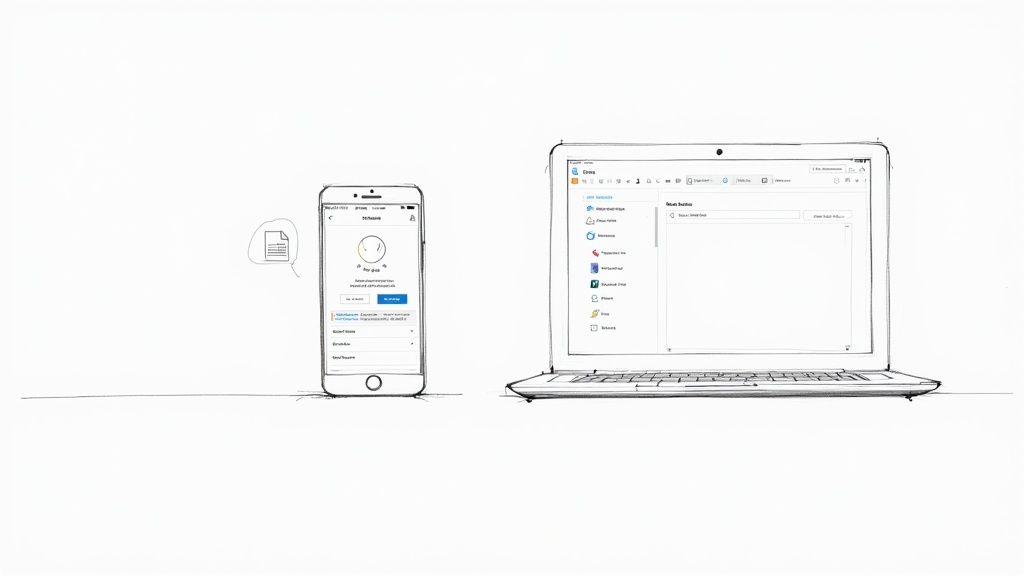
Picking the right tool for your wishlist is the first real step, and honestly, it can make all the difference. The platform you choose can turn list-making from a tedious chore into something genuinely fun and organized. Before you jump in, think about your own habits: are you an all-in-one-place shopper, or are your dream gifts scattered across the internet?
Your answer points you toward one of two paths. For some, a simple retailer-specific registry, like the one from Amazon, works just fine. If all your gift ideas come from one store, it's familiar and straightforward. No need to overcomplicate things.
But for most of us, a universal wishlist platform is the way to go. These tools give you the freedom to add items from any online store into a single, shareable list. This is a total game-changer. It means you aren't locked into one company's ecosystem. You can add a handmade mug from an Etsy shop, a book from your local indie bookstore's website, and a new gadget from a major retailer, all in one place.
Getting Your Account Ready
Once you've settled on a platform, setting up an account is usually a breeze. The real magic, though, is in how you organize your lists. Instead of one long, generic "Wishlist," get specific and create lists for different events.
Think of it this way. You could have separate lists like:
- "Maya's 30th Birthday Bash"
- "Our Holiday Gift Exchange 2024"
- "Baby Shower Registry for Alex"
This simple step immediately gives gift-givers the context they need. It also keeps your "someday" wants separate from your more immediate wishes for a specific occasion, which makes your list far more helpful. Many platforms today have a ton of tools to make this easy; you can see how advanced features can help you craft the perfect wishlist and make gift-giving a snap for any event.
Seamlessly Adding Items to Your List
The best universal wishlist apps make adding items almost effortless. Most of them offer a browser extension—a little button you install in your web browser. When you stumble upon something you love on any website, you just click that button. The platform instantly grabs the product's name, price, photo, and link and drops it right into your list.
A great wishlist tool should feel invisible. The goal is to capture an idea the moment it strikes, without interrupting what you're doing. The easier it is to add an item, the more likely you are to keep your list fresh and relevant.
This one-click method is incredibly convenient. It completely removes the hassle of copying and pasting links and details, which also ensures all the information on your list is accurate. Many of these tools also have their own search functions, so you can browse for ideas or popular products without even leaving the wishlist app.
By taking a few minutes to pick a flexible platform and set up event-specific lists, you're building a strong foundation. This initial effort makes sure your wishlist is more than just a random collection of links—it becomes a genuinely useful guide that makes giving gifts a true joy for your friends and family.
Adding Items with Gifter-Friendly Details
Alright, now for the fun part: filling up your list! But hold on—a truly great wishlist is more than just a collection of links. The real secret is to make the gift-giver’s job incredibly easy and, dare I say, enjoyable. That means adding details that wipe out any and all guesswork.
Think of each item you add as a mini-guide for the person who’s buying it. Instead of just adding "running shoes," get specific. Mention the exact model, your size, and the color you’ve been eyeing. This tiny bit of effort turns a vague idea into a confident, perfect purchase.
Go Beyond the Basic Link
A URL is a good start, but the magic is in the details. When you add an item, put yourself in the gift-giver's shoes. What questions would they have? Is there a particular size, color, or version you really want? Adding these notes helps prevent those well-intentioned but slightly-off purchases.
Let's say you're adding a sweater. Instead of just the link, include some notes:
- Size: Medium
- Color Preference: Navy blue or forest green
- Notes: "I absolutely love this brand's sweaters—they're always so soft!"
These little personal touches do more than just relay facts. They give the person a peek into why you want it, making the whole act of giving feel more connected and meaningful.
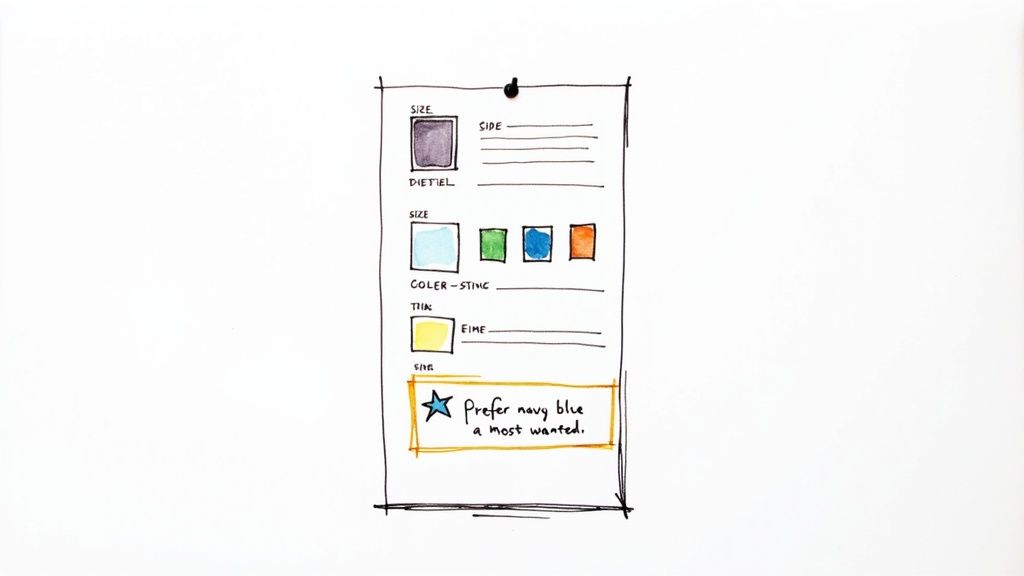
This level of detail is a classic win-win. You get exactly what you were hoping for, and your loved one gets the satisfaction of knowing they totally nailed it.
The Power of Prioritization
It's easy for a wishlist to get long, and a huge list can feel a bit overwhelming for someone trying to pick a gift. That's where prioritization comes in. Most wishlist platforms let you rank items or flag them with labels like "Most Wanted," "High Priority," or even "Nice to Have."
By highlighting a few key items, you’re gently guiding people toward the gifts that would make the biggest impact. It’s a subtle way to communicate what you really need or want without feeling demanding, especially for big-ticket items that might be perfect for a group gift.
For example, a wedding registry might have essentials like a vacuum or a good set of dishes marked as high priority. On a birthday list, you might prioritize that one special thing you've been saving up for. This context helps people understand what’s most important to you at this moment.
This idea of a wishlist signaling real interest is huge in other areas, too. Take the video game industry, where Steam (opens in new tab) wishlists are a critical metric for developers. A high number of wishlists often points to strong future sales—research shows the median conversion is around 15,000 first-week sales per 100,000 wishlists. You can read more about how Steam wishlists predict game sales (opens in new tab) if you're curious. It proves that adding an item to a list is a powerful sign of genuine intent.
By adding clear details and ranking your most-wanted items, you transform your list from a simple catalog into a thoughtful, practical guide. It’s an approach that respects the gift-giver’s time and effort, making the entire experience better for everyone.
Sharing Your Wishlist Without Being Awkward
You’ve spent the time creating a thoughtful, detailed, and genuinely useful wishlist. Awesome! Now for the part that sometimes feels a bit strange: actually sharing it. The secret is to frame it as a helpful gesture, not a list of demands. You're simply making life easier for people who already want to get you a gift, and that’s a win for everyone.
Most wishlist platforms give you a ton of control over who sees your list through different privacy settings. This is your first stop for sharing your list confidently.
Choosing Your Privacy Level
Before you fire off that link, take a second to look at the visibility options. You’ll usually find a few standard choices that let you decide exactly who gets a peek at your gift ideas. It's always a good idea to know your options; you can learn more about how we handle your data by reviewing our approach to privacy.
Here’s a quick rundown of what you’ll typically see:
- Public: Anyone who stumbles upon the link can see your list. This is perfect for big events like a wedding or a baby shower where you'll be sharing the link far and wide.
- Shared / Invite-Only: This is my go-to for most situations. Only people you specifically send the link to can get in. It’s ideal for birthdays or holiday gift exchanges with a close circle of friends and family.
- Private: Just for your eyes only. Use this setting when you're still in the brainstorming phase and not quite ready for an audience.
Crafting the Perfect Share Message
How you share the link is just as important as the list itself. You want to sound appreciative and helpful, not demanding. A blunt "Here's my wishlist" can land the wrong way. A little context and warmth go a long way.
Think of it this way: you're offering a solution to the classic problem of "What should I get them?" You aren't telling people what to buy; you're giving a little inspiration to those who were already planning on it.
Here are a few easy, effective ways to word your message, which you can tweak for any situation:
| Communication Method | Sample Message |
|---|---|
| Email or Text | "Hey everyone! A few people have asked for gift ideas for my birthday, so I put together a little list to make things easier. Absolutely no pressure, but if you're looking for ideas, you can find them here: [link]" |
| Social Media Post | "So grateful for all the birthday love! For anyone who has asked, I pulled together a small wishlist with some things I've had my eye on. Your good wishes are more than enough, but here's the link if it's helpful! [link]" |
| Event Invitation | "Having you there is the only present we need! But, if you'd like to give a gift, we've created a registry to make it simple: [link]" |
One last thing—and it’s a big one. Make sure the tool you're using allows people to mark items as purchased. This tiny feature is a lifesaver. It’s what stops 5 people from buying you the same coffee maker and lets everyone else know what’s still up for grabs. It’s a non-negotiable for a wishlist that actually works.
Pro Tips for a Genuinely Helpful Wishlist
Alright, you've got the basics down. But a few simple strategies can take your list from "good" to "amazingly helpful." These are the little touches that make all the difference, turning your wishlist into a perfect guide for anyone looking to get you a gift, no matter the occasion.
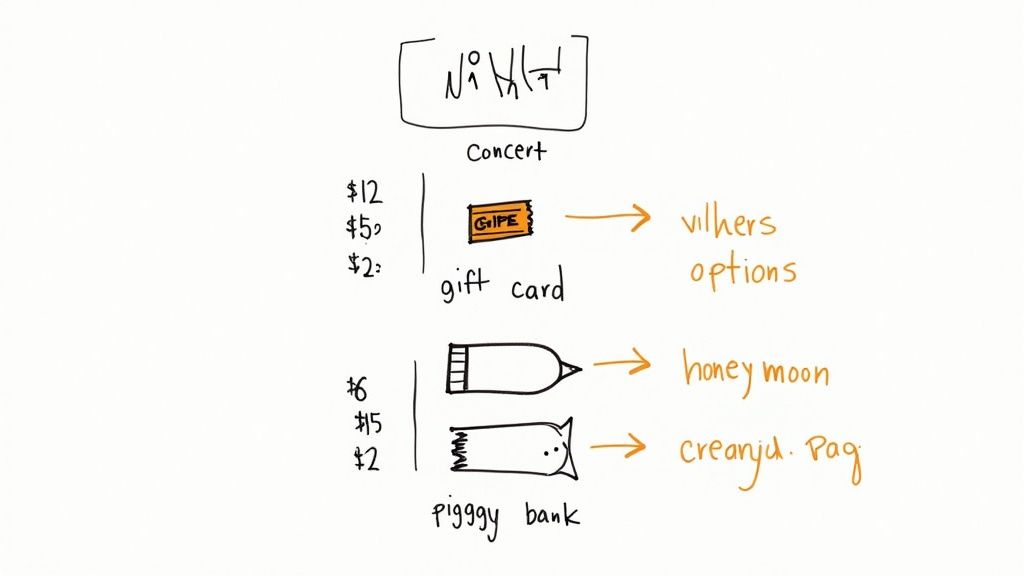
First up: offer a wide range of price points. A truly great wishlist has something for everyone, whether it’s a close relative ready to splurge or a coworker who just wants to give a small token of appreciation. Including items at different price levels makes your list approachable and takes the pressure off.
Think about breaking it down like this:
- Small Gifts: Items under $25, like a great book, a bag of specialty coffee, or a unique pair of socks.
- Mid-Range Options: Ideas in the $50-$100 range are perfect for close friends or individual family members.
- Big-Ticket Items: These are the larger gifts that work well for group contributions or a significant other.
Think Outside the Physical Box
A modern wishlist shouldn't be limited to things you can unwrap. Honestly, some of the best gifts I’ve ever received have been experiences or contributions toward a bigger goal. Don't hesitate to add non-traditional ideas that really reflect what you care about.
You could include things like:
- A gift card to your favorite local restaurant or coffee shop.
- Tickets to see a band you love or a play you've been wanting to see.
- Contributions to a larger fund—maybe for a honeymoon, a new laptop, or a home renovation project.
This gives people more ways to bring a little joy into your life, and it often feels much more personal. If you're looking for more creative ideas, the Wish Mate blog has some fantastic inspiration.
Keep Your Wishlist Fresh and Current
Nothing is worse than an outdated wishlist. It’s a completely missed opportunity! Get into the habit of reviewing your list every so often to remove things you’ve already received or no longer want. As new ideas pop into your head, add them. A dynamic list shows you're actually engaged.
A wishlist isn't a static document; it's a living guide that should evolve with your interests and needs. An active list signals genuine desire, which encourages confident gift-giving and better outcomes for everyone involved.
This idea of quality over quantity applies everywhere. For example, data on the gaming platform Steam shows that high-quality games with strong positive reviews often sell better than lower-rated ones, even if the latter has more wishlists. It’s proof that a carefully curated selection is always more powerful than just a long, random list. You can dig into more insights on how quality influences wishlist success on GameDevReports (opens in new tab).
Add All the Right Details
The more information you provide for each item, the easier you make it for the gift-giver. Vague entries like "new headphones" can lead to analysis paralysis or, worse, the wrong gift. Getting specific helps them buy with confidence.
Here’s a simple checklist to run through for each item you add. It ensures you’re giving people all the details they need to make a great choice.
Wishlist Item Checklist
| Information Point | Example | Why It's Important |
|---|---|---|
| Product Link | Direct URL to the item on a specific retailer's site. | Removes all guesswork and ensures they buy the exact item you want. |
| Size/Color/Style | "Size: Medium, Color: Forest Green" | Prevents returns and exchanges for clothing, shoes, or decor. |
| Quantity | "Quantity: 2 (for a matching set)" | Clarifies if you need more than one of something, like wine glasses or towels. |
| Personal Notes | "I've been wanting this for my camping trips!" | Adds a personal touch and explains why you want the item, which can be motivating. |
| Model/Version | "iPhone 15 Pro, 256GB" or "5th Edition" | Crucial for electronics, books, and games to avoid buying an outdated version. |
By filling out these details, you’re not just making a list; you’re creating a foolproof guide that helps your loved ones celebrate you well.
Navigating Common Wishlist Hurdles
Even with a perfectly crafted wishlist, a few practical questions almost always come up. I've seen it time and again: people wonder about those big-ticket items or what to do with their list once the party's over. Let's tackle some of these common sticking points to make sure your wishlist experience is seamless for both you and your loved ones.
What About Those Big, Expensive Gifts?
So, you're eyeing a new laptop or a high-end camera. Is it okay to add it to your list? Absolutely, as long as your wishlist tool has a group gifting feature. This is a game-changer.
Group gifting lets several people chip in whatever they feel comfortable with toward a single, more expensive item. It completely removes the pressure of one person having to foot a huge bill. A friend can contribute $20, your parents can add $100, and suddenly that dream item is well within reach.
Think of it less as asking for a pricey gift and more as inviting people to collaborate on something truly meaningful. It turns a big "ask" into a fun, collective effort.
It's a fantastic way to get something you’ll actually use for years to come, and I find that gift-givers really appreciate having the option to contribute to a sure-fire hit.
The Party's Over... Now What?
Once your birthday or holiday has passed, you might be tempted to just delete the list. My advice? Don't do it. A better approach is to keep the list alive but give it a quick refresh. An old, forgotten list can create confusion down the road.
Here’s a quick clean-up routine I always recommend:
- Clear Out Received Gifts: The most important step! Mark off or remove everything you got. This is your best defense against receiving a duplicate gift next time.
- Re-evaluate Your Priorities: Your wants and needs shift over time. That item you desperately wanted last year might not be as important now. Shuffle things around to reflect what's currently on your mind.
- Give it a New Name: Simply rename the list from "My 30th Birthday Wishlist" to something more evergreen like "My General Wishlist." This lets people know it’s an up-to-date resource.
Dealing with Returns and Exchanges
What happens if you get a sweater from your list, but it’s the wrong size? This is where being proactive pays off. Most modern wishlist platforms link right back to the original product page, which makes tracking down order info much easier if you have a gift receipt.
But you can get ahead of the problem. When you add items, use the notes section to add specific details. For example: "Size Medium in this brand," or "I'd love this in either blue or green!" A little extra information upfront makes all the difference and ensures every gift is a home run.
Ready to build a wishlist that's actually helpful, easy to share, and simple for everyone to use? The AI tools at Wish Mate AI can help you put together the perfect list and even help you find great gift ideas. Start your wishlist with Wish Mate AI today!